B2C/E-COMMERCE
A redesign of the in-app post delivery feedback experience of India's largest grocery platform with 10M+ user base with a recorded 10% increase in feedback submission rates
ROLE
TIMELINE
SKILLS
Introduction
BigBasket is India’s largest B2C online grocery platform. As the product scaled, feedback became critical to service quality, yet existing touchpoints failed to generate actionable insights.
The Problem
Feedback was requested too early (post-purchase), and post-delivery flows focused on ratings without enough structure to capture meaningful context. Repeated prompts across entry points further diluted the quality of insights collected.
THE CHALLENGE
How can we improve the timing and usefulness of feedback in Bigbasket’s mobile experience for users and internal teams?
THE HIGH LEVEL GOALS THAT DEFINED MY DESIGN
Ensure feedback is requested when users have enough context to reflect on their experience.
Help users articulate why they felt a certain way, without increasing effort.
Differentiate when and how each feedback flow should be used to avoid fatigue and confusion.
The Solution
Redesigned the Post Delivery Feedback flow
Retained the Past Orders Feedback Flow
Removed the Post Purchase Feedback Flow

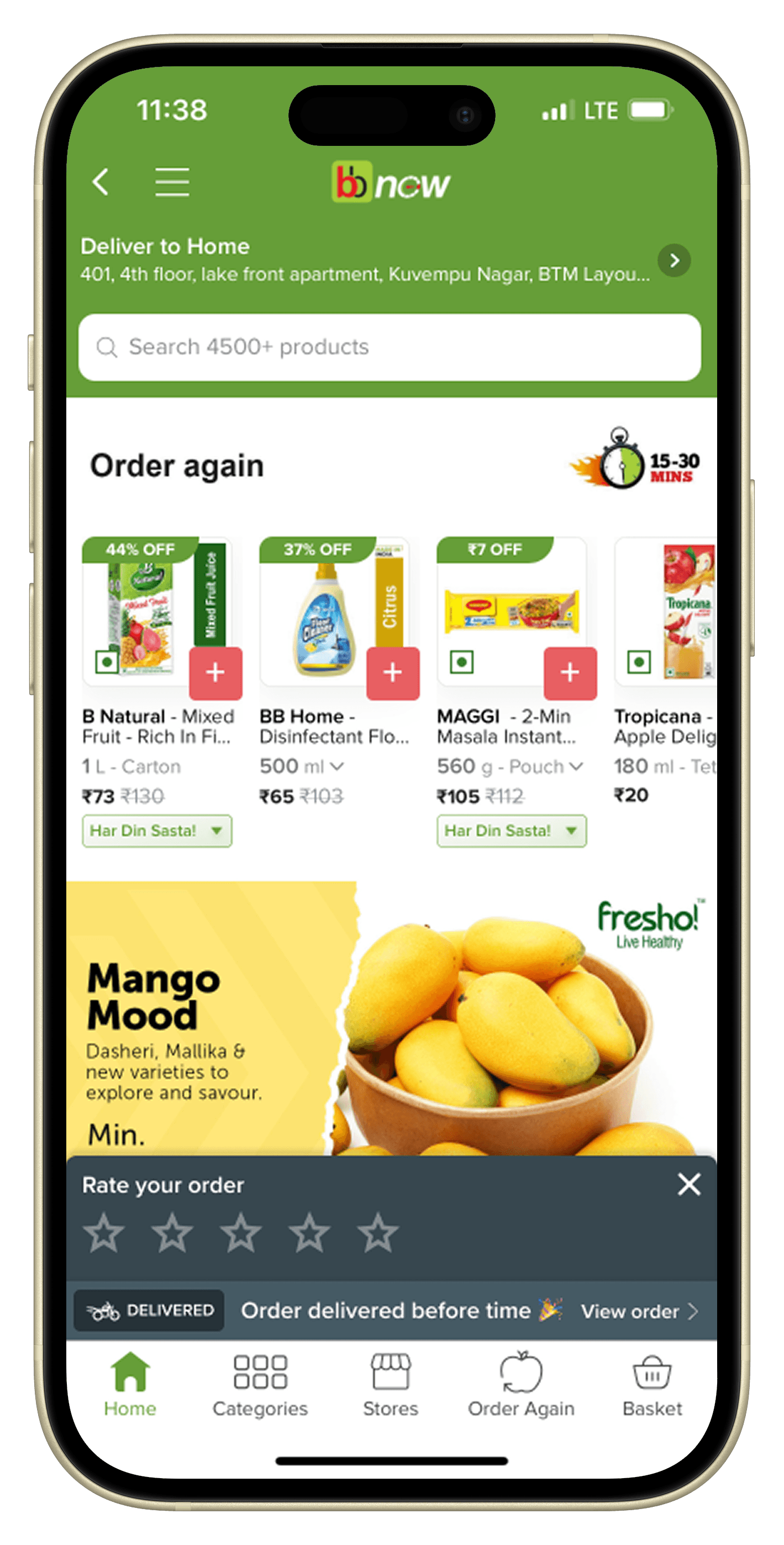
Feedback Widget
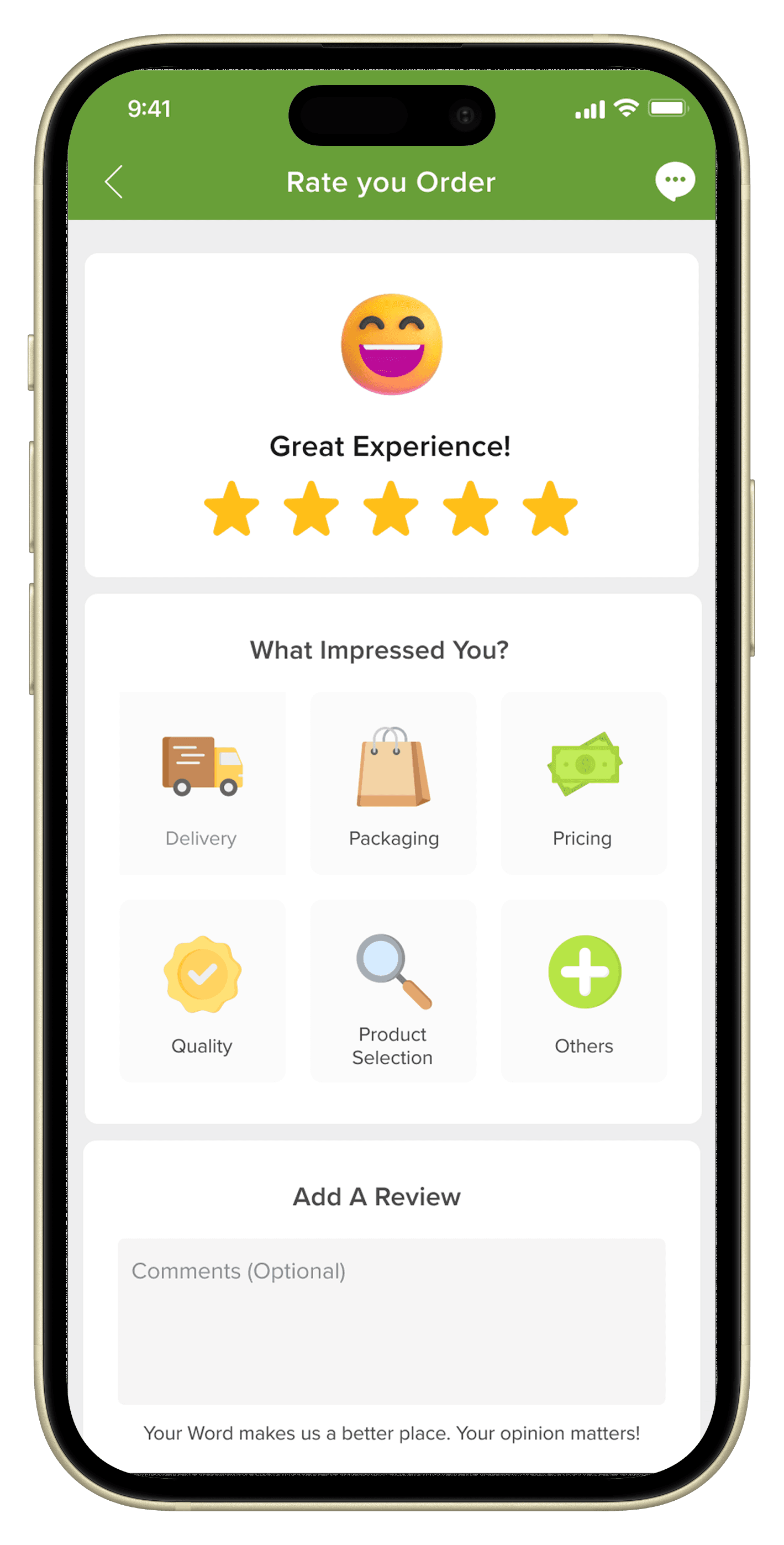
Detailed Feedback
This screen showcases the dynamic user rating feature. The emoji changes based on the user's rating, and the color of the quick feedback options adapts accordingly. Users also have the option to add a detailed review or select from quick feedback options.
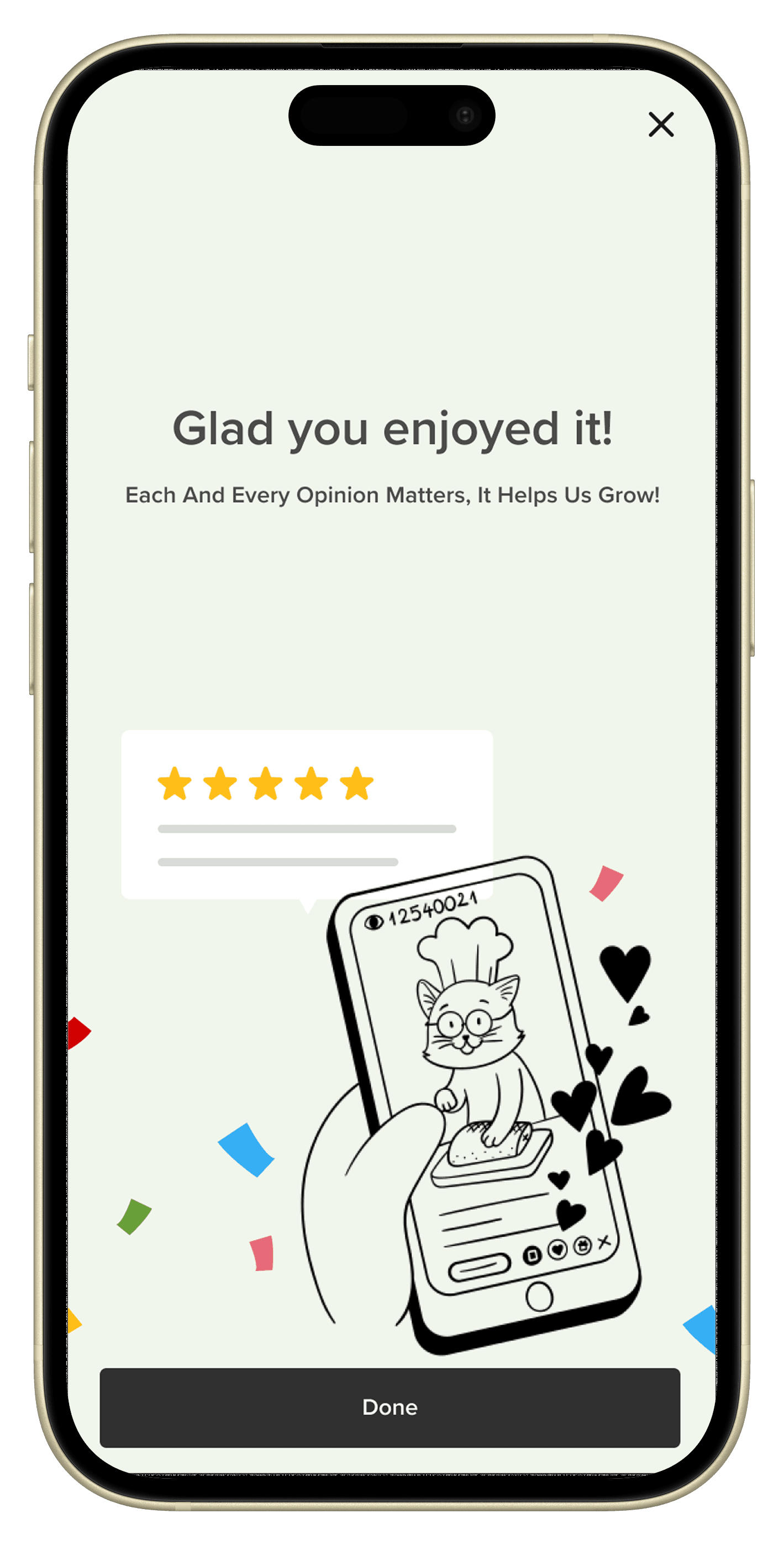
Feedback Acknowledgement
This screen displays dynamic acknowledgment cards designed to assure users that their feedback will be taken into consideration. These cards aim to build trust and loyalty by showing that their opinions matter.
IMPACT
10%
Feedback Submission Rates
Feedback included clearer reasons behind ratings
Reduced repetition across entry points
Improved signal quality for delivery vs product issues
Better alignment between user input and internal actionability
Information Gathering
Competitive Review
I reviewed feedback patterns across grocery and e-commerce apps to understand how other platforms handled their feedback experiences.
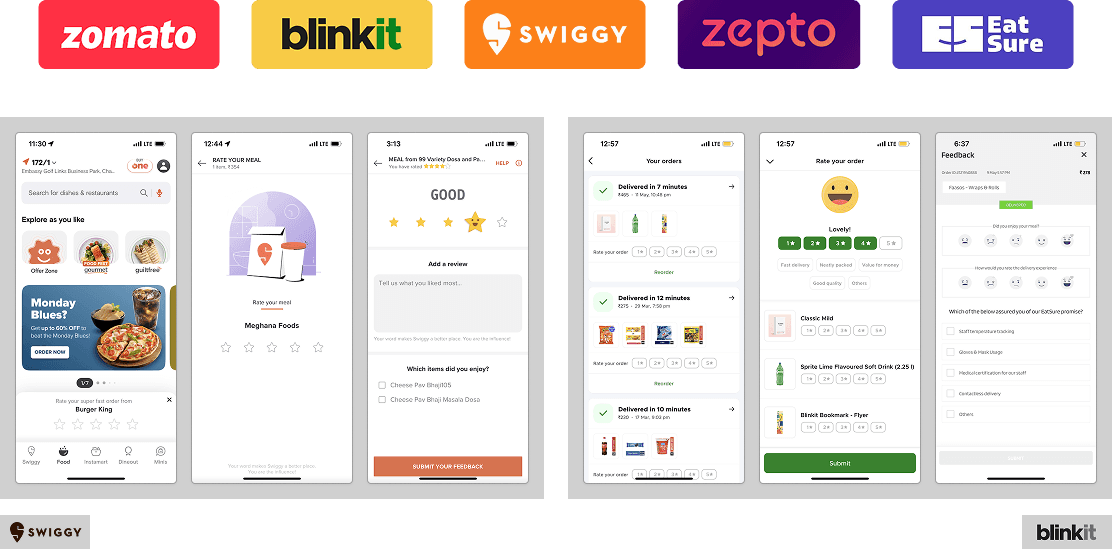
This analysis revealed a few recurring patterns across platforms:
Progressive multi-step feedback flows were common across platforms, starting with a quick rating and revealing additional steps only if users chose to provide more detail.
Post-purchase feedback was largely absent, with most platforms waiting until post-delivery to request feedback once users had sufficient context.
Explicit feedback acknowledgement was used to close the loop, with simple confirmation or thank-you states signaling that user input had been received.
User Journey Audits
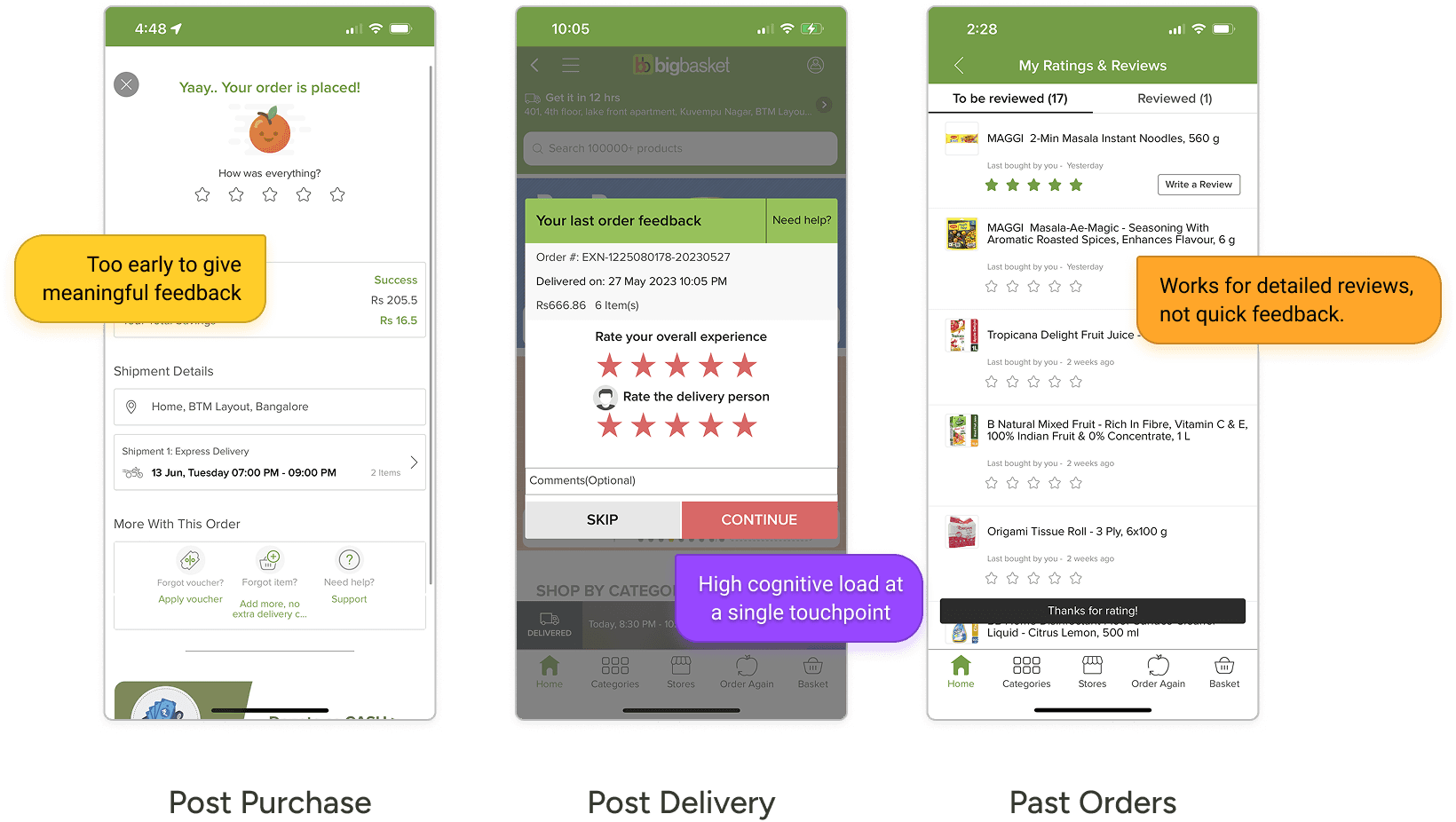
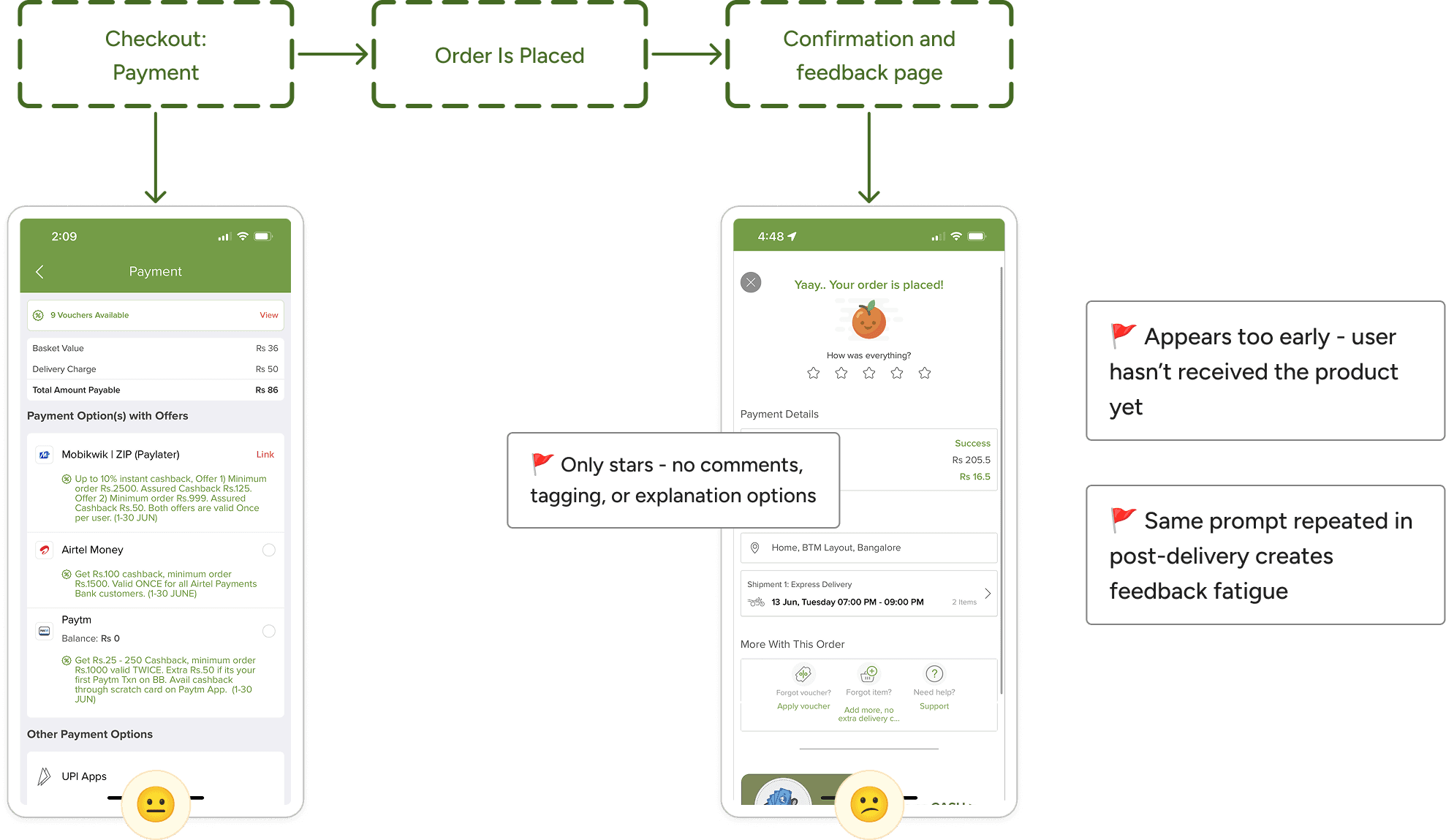
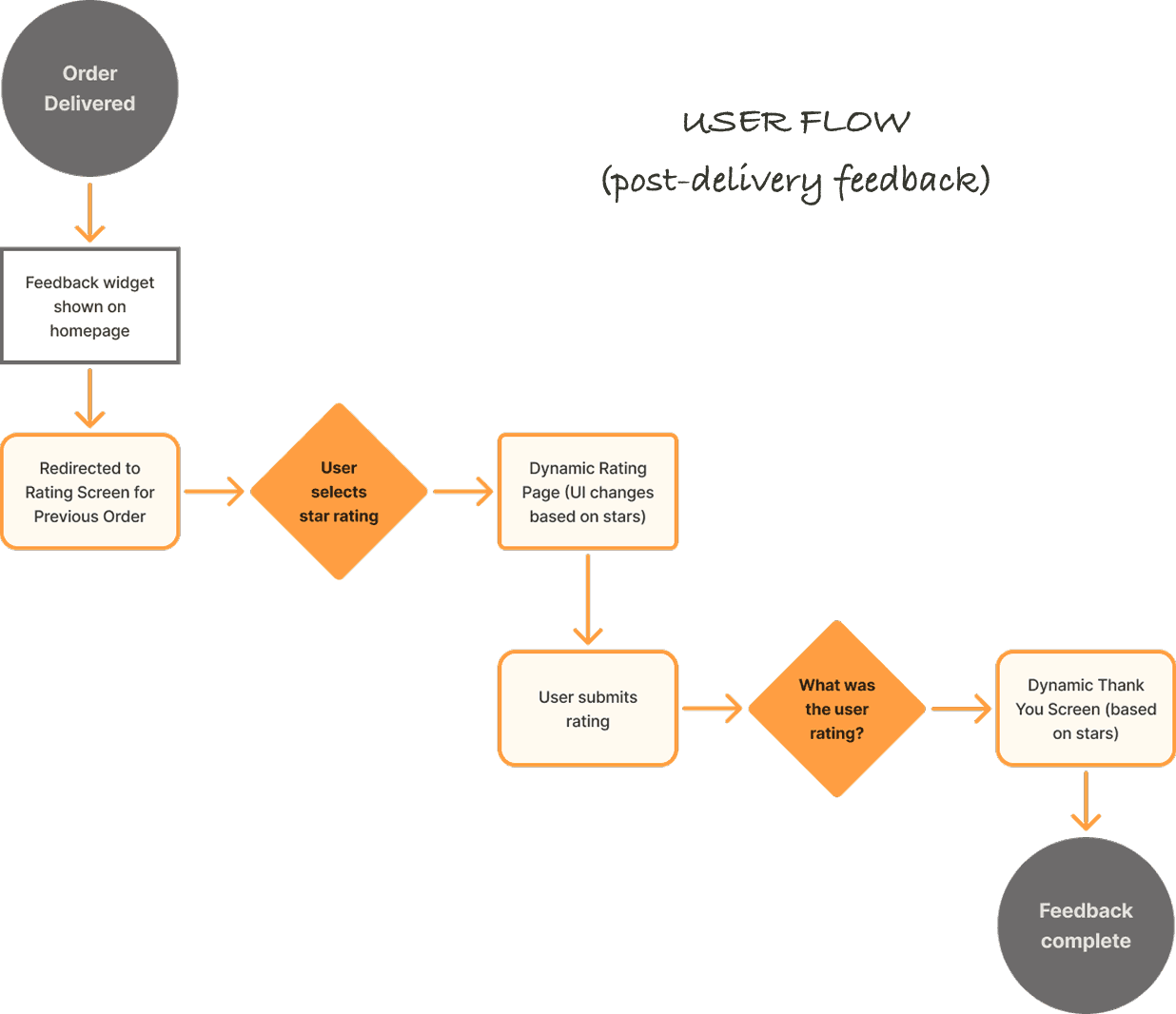
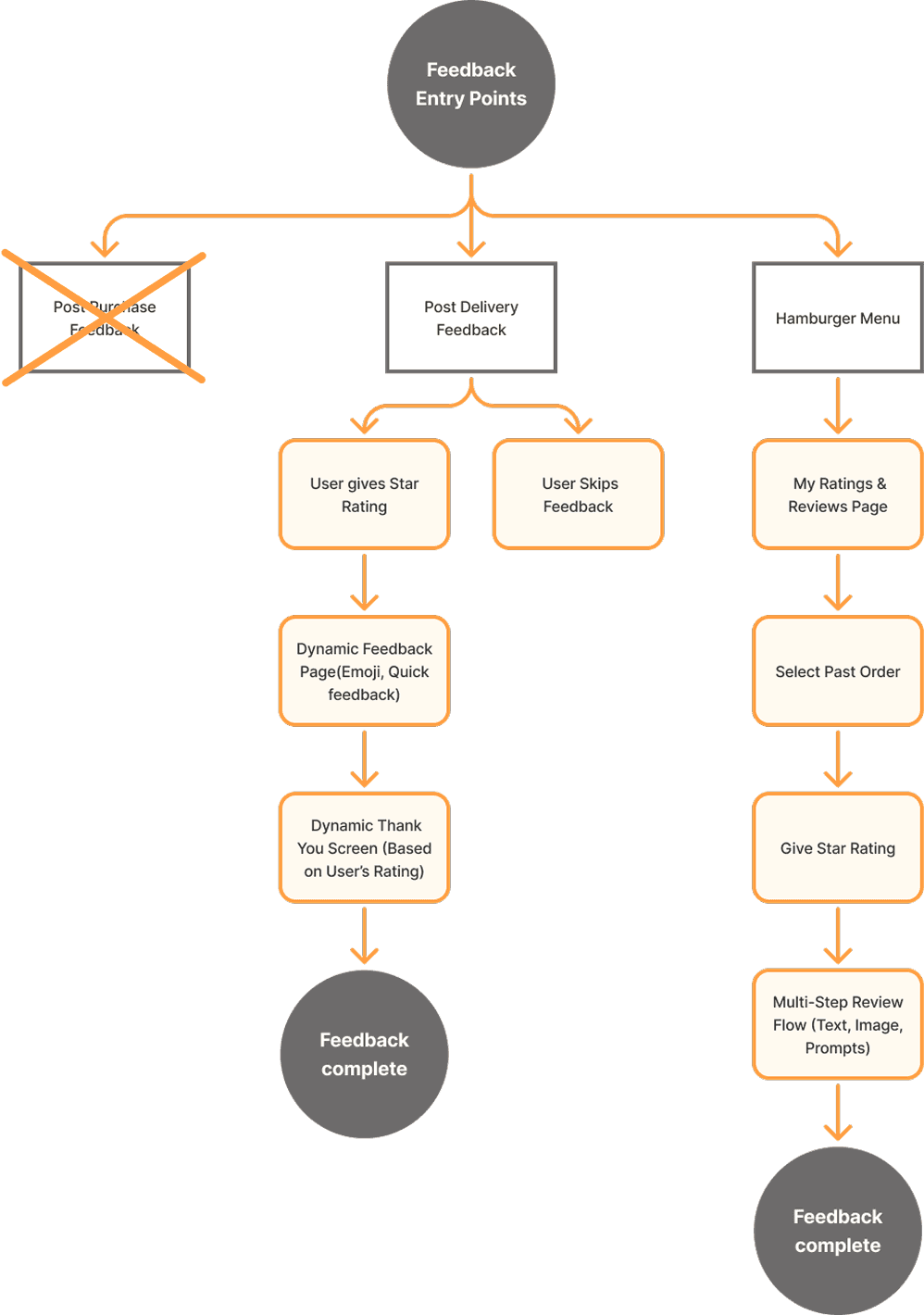
To understand where Bigbasket’s feedback experience was breaking down, I audited existing feedback journeys across the 3 entry points
Entry Point 1
Feedback was requested immediately after checkout, before users had experienced the order. At this stage, users lacked the context needed to provide meaningful input, resulting in shallow responses and increased feedback fatigue when similar prompts reappeared later.
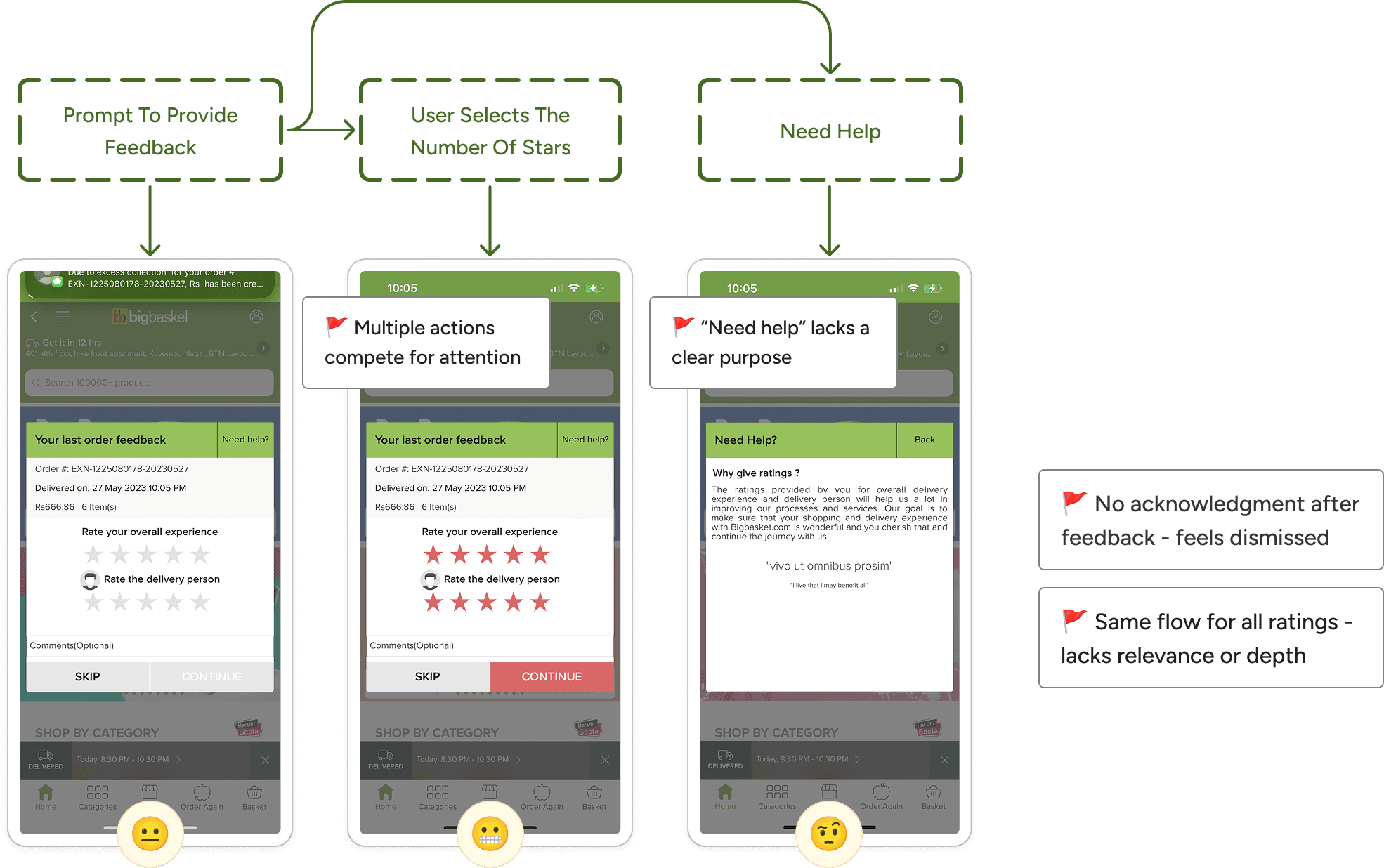
Entry Point 2
The one-step post-delivery flow enables fast ratings but places too much emphasis on stars. With multiple elements on the screen and unstructured comment fields, users are not guided toward providing clear, actionable feedback.
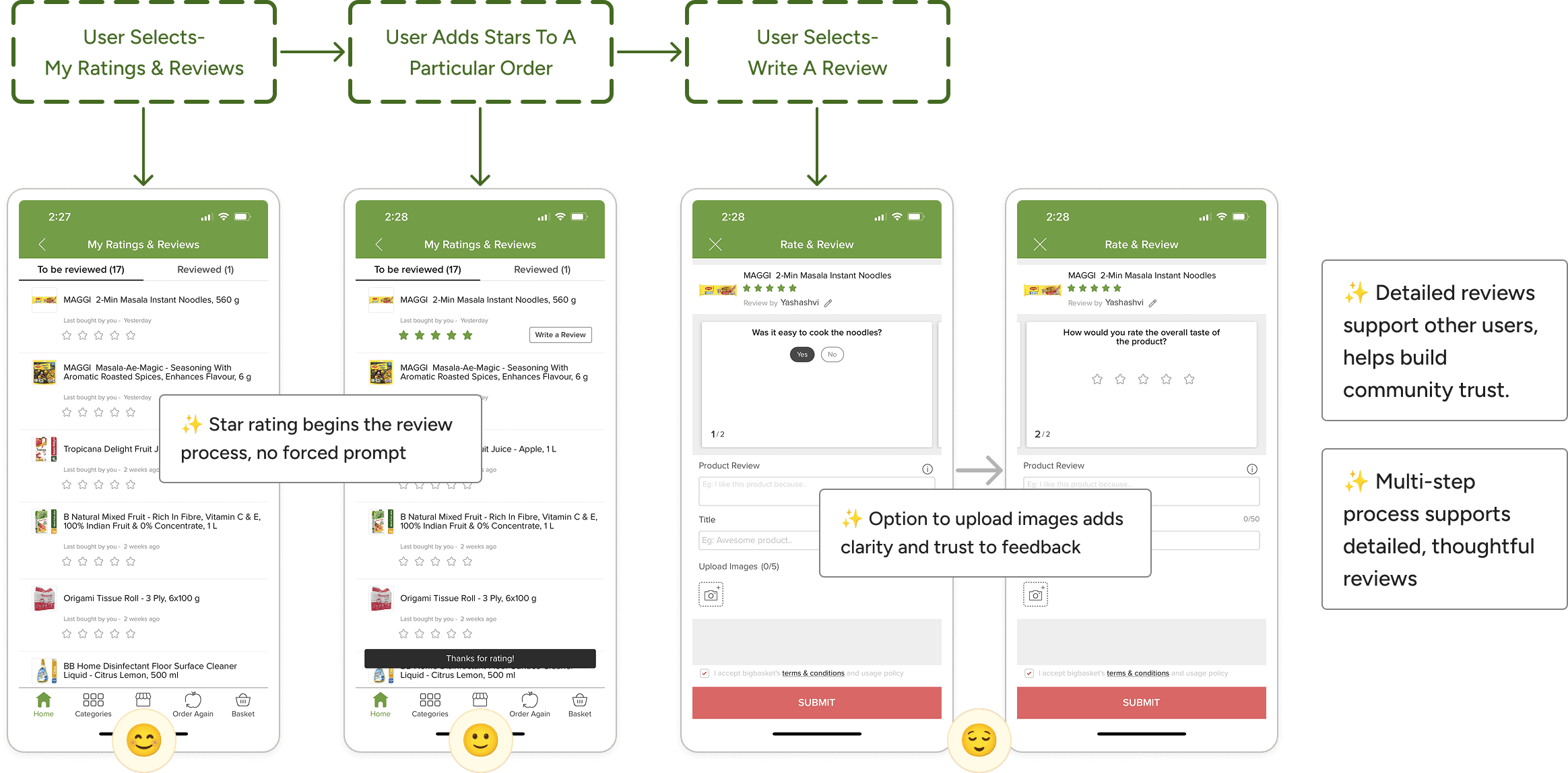
Entry Point 3
The past orders flow allowed users to review orders at their own pace, supporting item-level feedback and image uploads. Because feedback here was self-initiated, responses tended to be more thoughtful and detailed, offering clearer insight into user experience.
Design
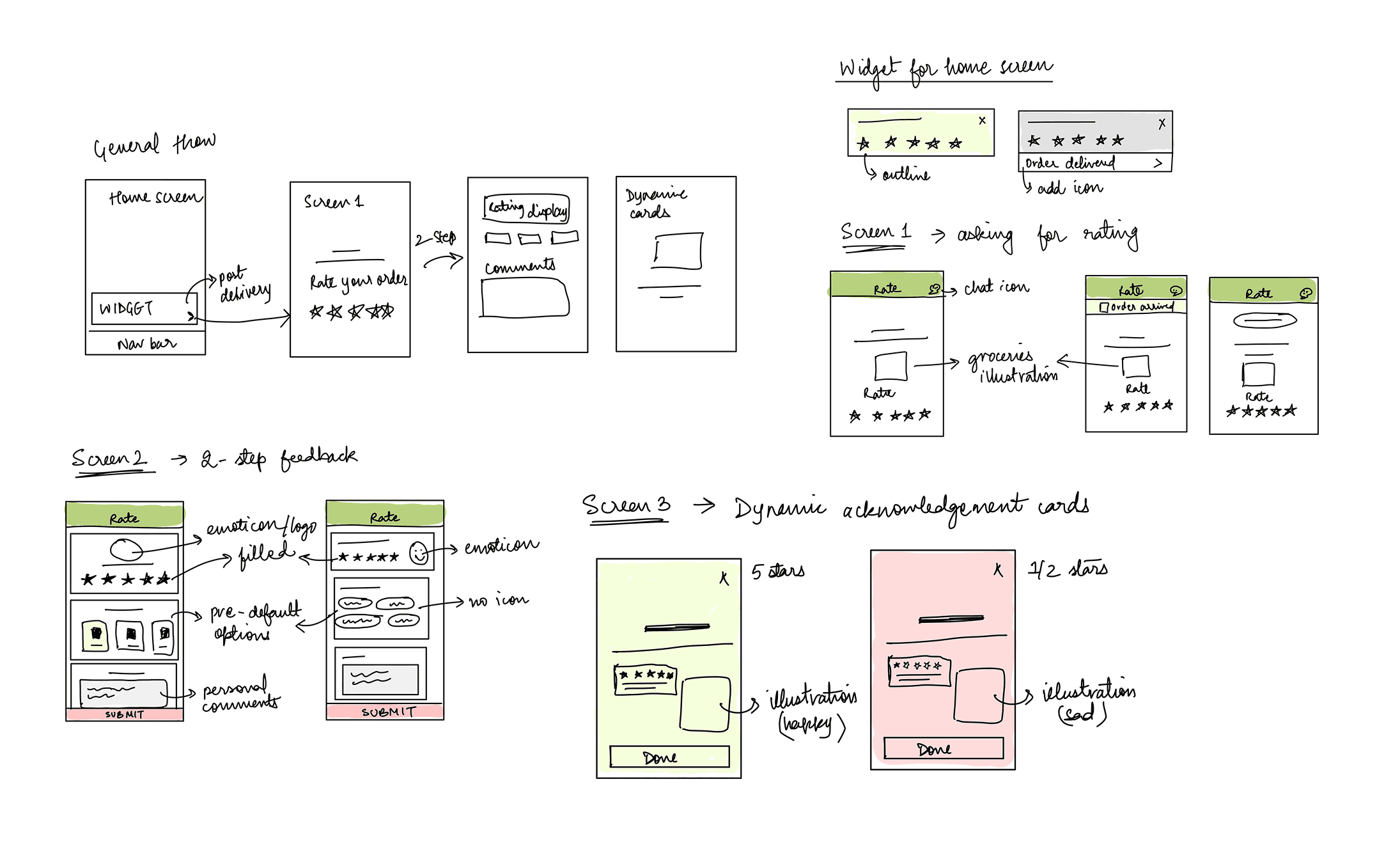
Sketching It All Out
I reviewed feedback patterns across grocery and e-commerce apps to understand how other platforms handled their feedback experiences.
Explorations in Design
I explored multiple design directions to iterate on key parts of the feedback flow, evaluating what helped users understand, engage with, and complete the experience more easily.
The existing widget lacked context about the order and pushed users into a second flow just to leave a rating. I explored ways to surface key order and delivery details directly within the widget, while allowing users to rate their experience without leaving the screen.

❌ I started with a white background that blended into the background, but the widget lacked enough contrast to draw attention at the right moment

❌ I then tried improving visibility through visual treatment alone, but the prompt still didn’t clearly communicate what the user was being asked to rate.
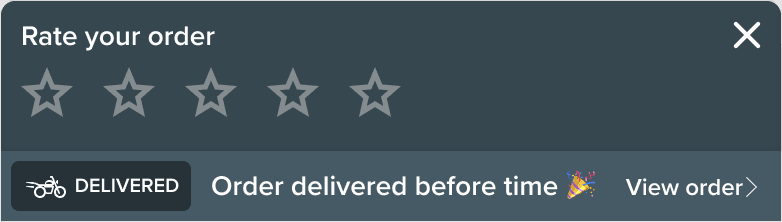
✅ By adding order and delivery details alongside the star rating, the widget felt more contextual and personalized
After observing that star ratings alone didn’t explain why an experience was good or bad, I explored ways to help users express their feedback more clearly without adding extra effort.
I experimented with pairing star ratings with dynamic emojis, color cues for different statuses and feelings, and quick follow-up labels. The feedback screen updated based on the selected rating, making it easier for users to respond without needing to type.
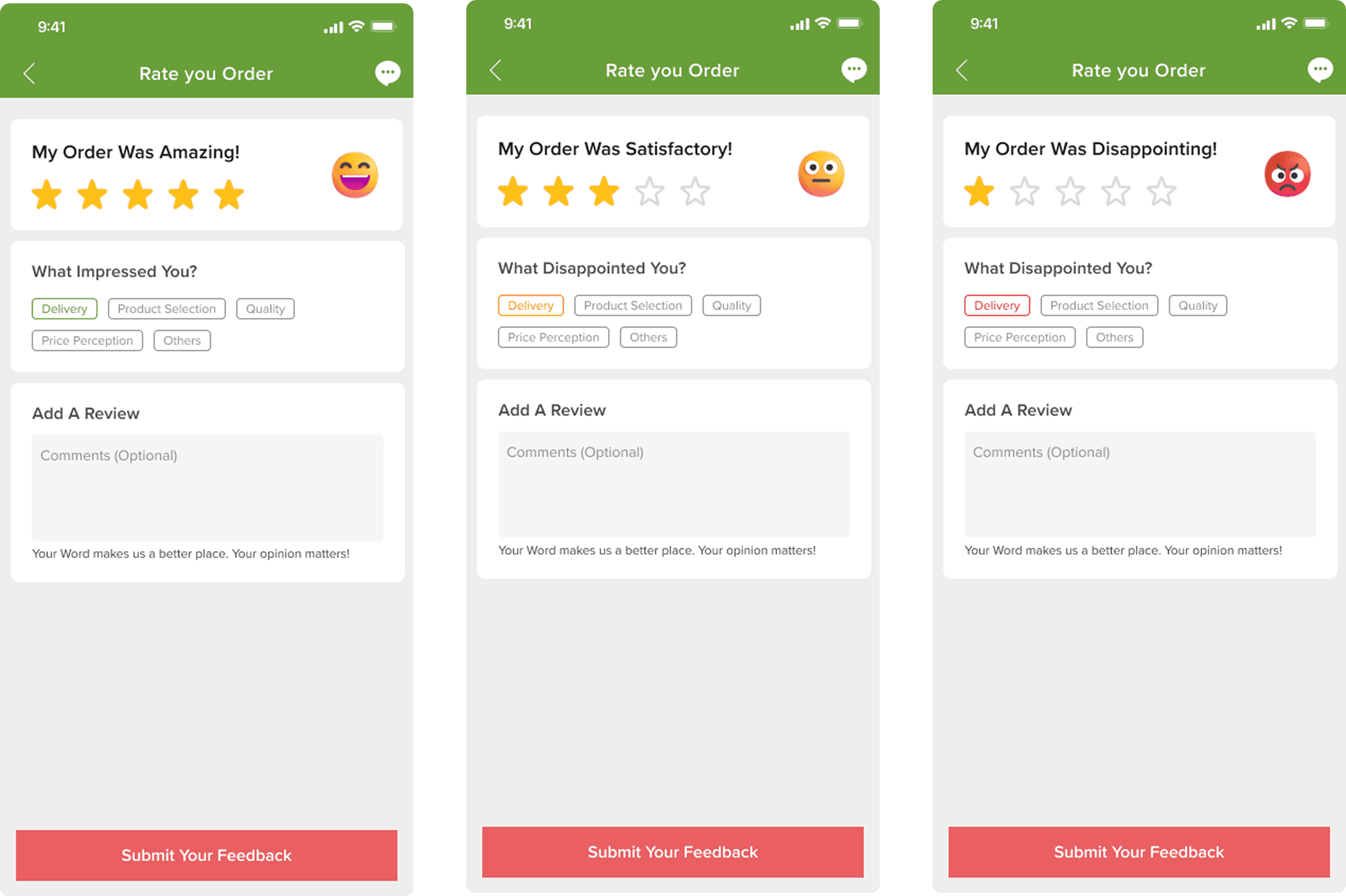
❌ In earlier explorations, follow-up questions relied mostly on text, without icons or visual cues to guide quick selection. Emoji placement also felt disconnected from the rating action
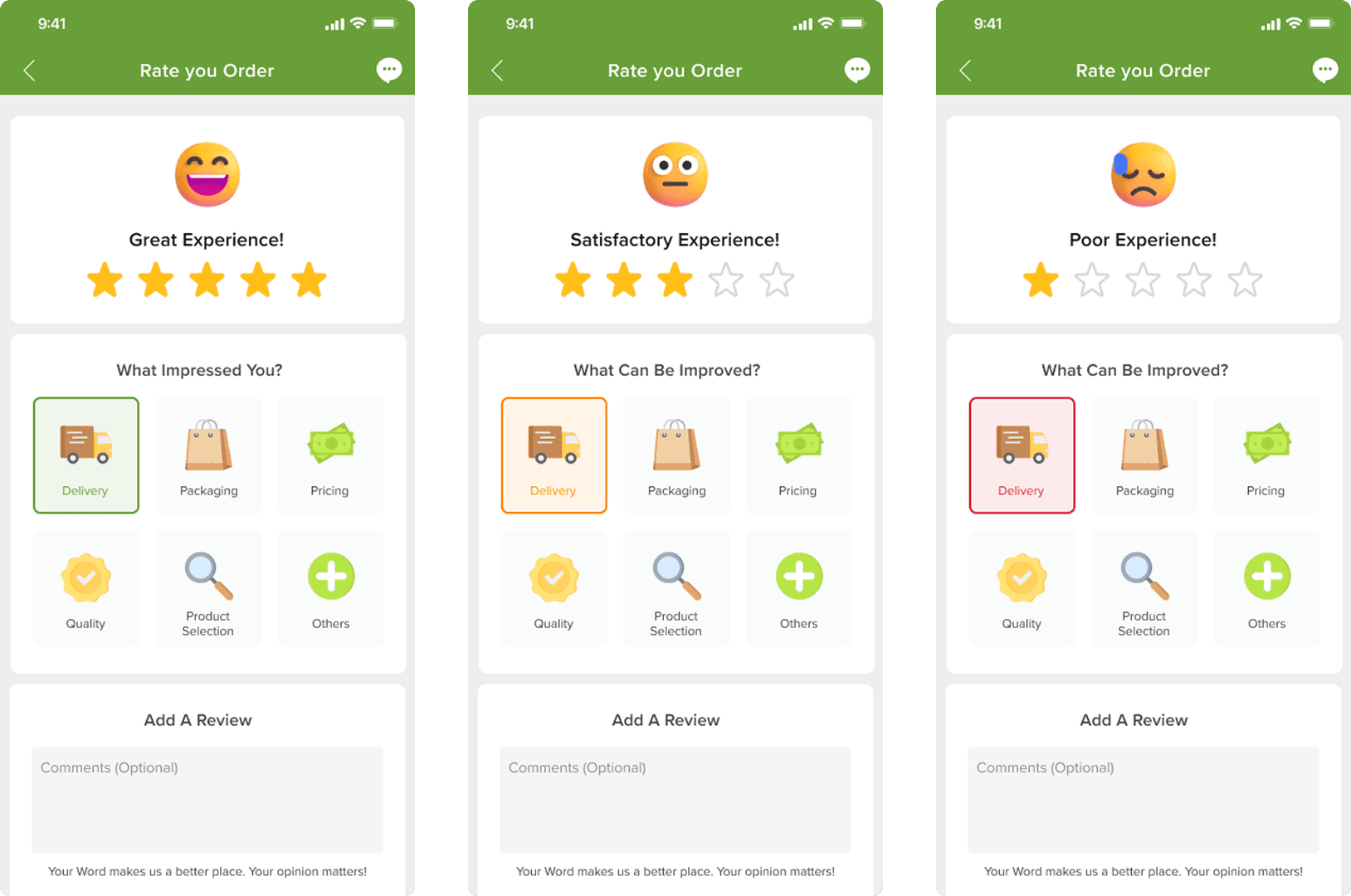
✅ Introducing visual icons for follow-up questions made options easier to scan and select. Giving emojis a center focus helped reinforce the selected sentiment.
Small visual cues will allow users to respond faster while making the interaction feel more engaging.
In earlier flows, feedback submission often felt like a dead end. I explored acknowledgment states that responded to user sentiment and clearly signaled that their input had been received.
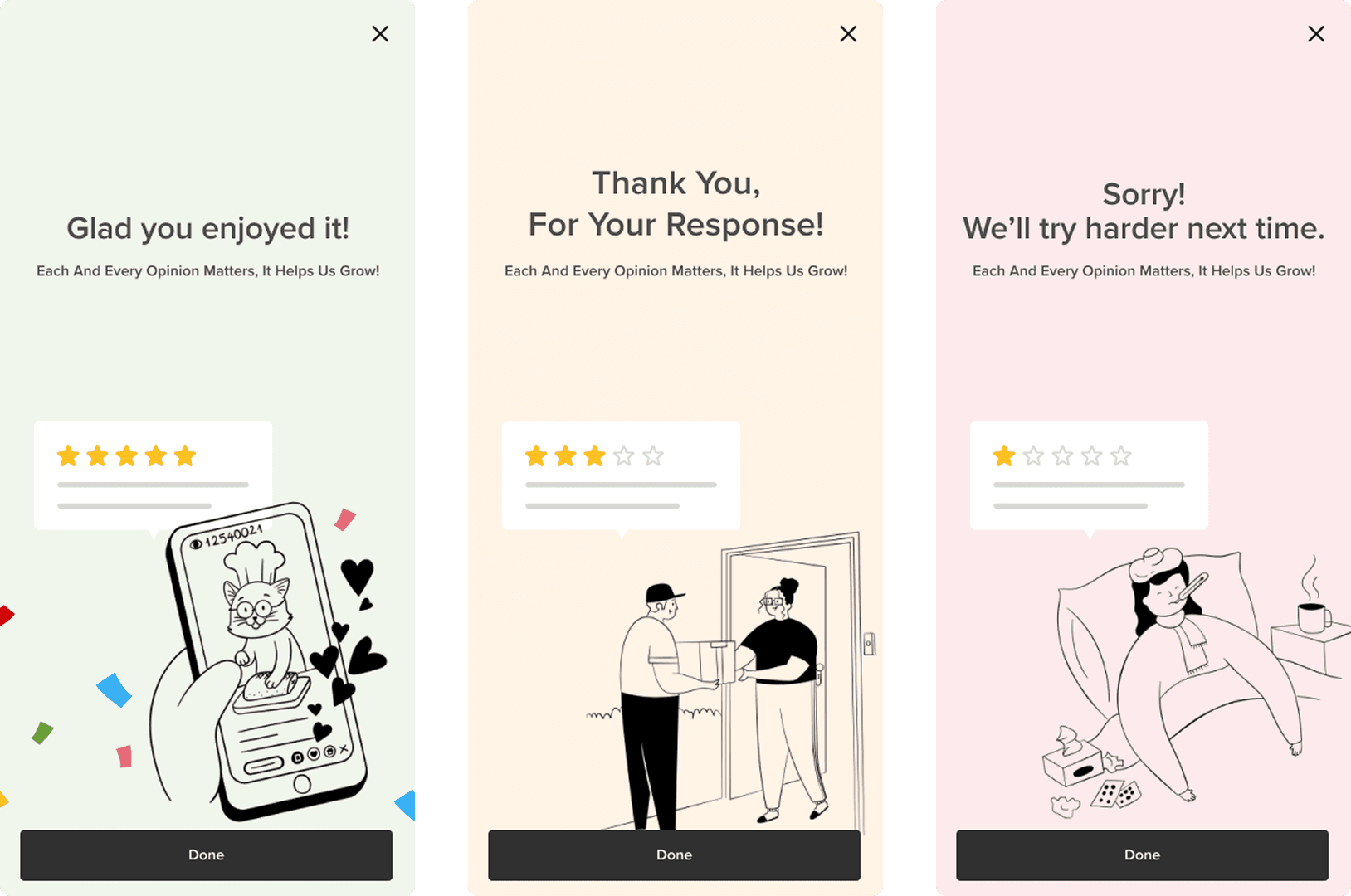
✅ The acknowledgement screens respond to the user’s rating by adjusting tone, color, and illustration to match their experience.
This creates a sense of closure instead of ending the flow abruptly.
I learned how important it is to stay organized throughout the design process i.e. keeping track of research, flows, and small decisions helped me see how everything connected.
Asking small “why” questions during research revealed pain points I wouldn’t have noticed otherwise. It reminded me that good design often starts with curiosity, not assumptions.
I realized that creating familiarity in design is powerful; by aligning my interface with patterns users already recognize, I made the experience easier to understand and trust.